Every Android phone already counts steps. There is a dedicated low-power step sensor in the hardware, ticking away whether or not you have installed anything. A step counter app is really a choice about presentation and plumbing: which sensor or watch gets believed, how the number is shown, whether it nags you kindly, and whether it does anything useful with the steps afterwards. We build two of the apps below, so we spend an unreasonable amount of time testing this on real Android phones. Here is where we landed for 2026.
If your main question is which apps convert steps into money or rewards, that whole category is graded separately in apps that pay you to walk. This page is about counting well on Android first, earning second.
Short verdict: For a clean, free counter with no ads, Pedometer by Fitcoin (ours, free on iPhone now; Android coming soon). If you want your steps to earn something, Fitcoin, which is free in the Play Store today. On a Samsung phone with a Galaxy Watch, Samsung Health is the sensible default. Pacer for social challenges, StepsApp for the prettiest widgets, and the Fitbit app if you live in Google’s hardware world.
Disclosure: Fitcoin and Pedometer by Fitcoin are our products. We are not affiliated with Google, Fitbit, Samsung, Pacer or StepsApp. Where our apps appear, we say so and describe the limits like everyone else’s. Step counts and calorie figures on any platform are estimates, not medical measurements.
How Android actually counts steps
Three routes, and it matters which one your app uses:
- The phone’s own sensor. A hardware step detector fed by the accelerometer, running at very low power with no GPS involved. Accurate when the phone is on you; blind when it is on your desk.
- Health Connect. Android’s on-device health hub, where watches, phones and apps write and read steps. This is what replaced the old Google Fit APIs. An app reading Health Connect can show steps from whichever device recorded them, which is powerful and also exactly how double-counting happens (more below). We cover the plumbing in detail in Health Connect workout rewards.
- A watch or band. Galaxy Watch, Pixel Watch, Fitbit and the rest count on your wrist all day, then sync into their own app and usually into Health Connect. A worn watch beats a sometimes-pocketed phone for daily totals.
A good Android step app is honest about which route it is showing you. A bad one quietly adds routes together and congratulates you on 23,000 steps you did not take.
The best step counter apps for Android, ranked
| App | Price | Ads | Steps source | Best for |
|---|---|---|---|---|
| Pedometer by Fitcoin | Free | None | Phone sensor + Health Connect | A clean daily count, streaks, friends |
| Fitcoin | Free | None | Health Connect (deduplicated) | Steps and workouts that earn rewards |
| Fitbit app | Free tier, Premium subscription | None | Fitbit / Pixel Watch, phone | Google Fit refugees, Fitbit owners |
| Samsung Health | Free | None | Galaxy phone + Galaxy Watch | Samsung owners, no extra installs |
| Pacer | Free tier, subscription | On free tier | Phone sensor, optional syncs | Group challenges and routes |
| StepsApp | Free tier, subscription | On free tier | Phone sensor + Health Connect | Beautiful charts and widgets |
1. Pedometer by Fitcoin: free, no ads, ours
Our own free step counter, live on the App Store now with Android coming soon, and disclosed as such. It shows today’s total, a seven-day trend, and a streak that asks for 1,000 steps a day, with tiers that climb as consecutive days stack up. You can start a live walk or run and get route, pace, calories and heart rate, but GPS is only used during that live session; daily steps count with location off entirely. Your Fitcoin friends appear ranked on today’s steps, which is more motivating than we expected during testing. No ads, no subscription, and the same account and wallet as the main Fitcoin app if you use both.
The honest limits: it is a step counter, deliberately. No food logging, no sleep, no coaching programmes. If you want steps plus everything else, look at Samsung Health or the Fitbit app below.
2. Fitcoin: the counter that pays out
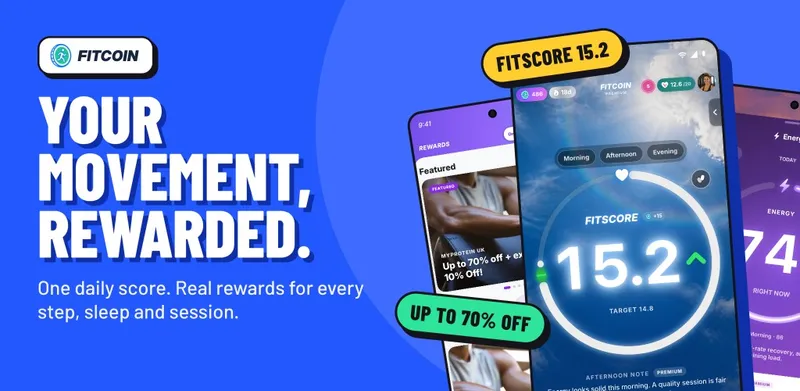
Fitcoin, our main app, is free on the Play Store and reads steps and workouts from Health Connect, deduplicating overlapping sources so a watch and a phone recording the same walk count once. Movement builds a daily FitScore, and FitScore earns Fitcoin you redeem for partner rewards; it is a rewards currency, not crypto and not an investment. What a realistic day of walking is worth across this whole category is laid out in how much walking apps pay for 10,000 steps. As a pure counter it is accurate precisely because it refuses to double-count, which occasionally means it shows fewer steps than an app that does not bother checking.
3. The Fitbit app: Google’s answer to Google Fit
Google has spent the last couple of years steering people from Google Fit to the Fitbit app, with Health Connect as the data layer underneath. If you own a Pixel Watch or any Fitbit tracker, this is your default: steps, sleep, heart rate and goals in one place, with a Premium subscription for deeper analysis that most step-focused people can skip. Phone-only, it counts adequately but the app clearly wants you wearing Google hardware.
4. Samsung Health: the free Samsung default
If you searched for a free step counter app for Samsung, the answer is probably already on your phone. Samsung Health counts steps from the phone or a Galaxy Watch, runs Together challenges against friends, and writes into Health Connect so other apps can read the numbers. It is free with no ads. The trade is bulk: it is a full health suite, and the step counter shares a home screen with a dozen tiles you may never open.
5. Pacer: steps as a team sport
Pacer is a veteran phone-sensor pedometer with groups, leagues and organised challenges layered on top. The free tier counts perfectly well with ads; the subscription removes them and adds coaching plans. If what keeps you walking is other people, Pacer’s community is the deepest on this list.
6. StepsApp: the pretty one
StepsApp turns the phone’s step sensor into genuinely lovely charts, widgets and watch complications. It is the best-looking way to stare at a bar chart of your week. Free with ads; a one-off or subscription upgrade removes them and unlocks more colours and export. It does less than everything else here, beautifully.
Stopping your watch and phone double-counting
The classic Android complaint: you walked 8,000 steps and some app proudly reports 15,000. What happened is that your watch wrote 8,000 steps into Health Connect, your phone’s sensor wrote its own overlapping 7,000, and an app summed both. Three fixes, in order of effort:
- Pick one writer per signal. In Health Connect’s settings you can see which apps write steps. If you wear a watch all day, let the watch’s app be the step writer and stop the duplicates at the source.
- Use an app that deduplicates. Health Connect marks which device recorded what, so a careful reader can merge overlapping intervals instead of summing them. Fitcoin does this; it is the difference between a reward system people trust and one they do not.
- Compare like with like. If yesterday was watch-counted and today is phone-counted, the difference is sourcing, not fitness. Keep one source of truth for your streak.
Running several counters at once is fine for reading, by the way, as long as only one writes. The full etiquette is in can you use multiple walking apps.
What we tested for
We judge Android step counters on four things: whether the daily total roughly matches a manual count on a known walk, whether the app survives Android’s battery optimisation without silently stopping overnight, whether it demands permissions the job does not need, and whether the free tier is actually usable. Battery optimisation is the quiet killer: aggressive manufacturer power modes can freeze a counter at midnight’s total until you open it. Every app on this list handles it acceptably; if yours does not, exempt it from battery optimisation in system settings before blaming your legs.
On permissions: a daily step count needs the activity-recognition permission and nothing else. Location should only be requested when you start a mapped walk. An ad-funded pedometer asking for all-day location is monetising your movements twice.
Frequently asked questions
What is the best free step counter app for Android?
Pedometer by Fitcoin is our free, ad-free pick on the App Store today, with Android coming soon; the main Fitcoin app is free in the Play Store today and also turns steps into rewards. Pacer and StepsApp both have solid free tiers with paid upgrades, and Samsung Health is free on any recent Samsung phone.
Does an Android step counter need GPS running all day?
No. Daily steps come from the phone’s low-power step sensor, which runs without GPS. GPS is only needed when you record a mapped walk or run. An app that demands all-day location for a simple step count is asking for more than the job requires.
Why does my Android phone show fewer steps than my watch?
The phone only counts when it is on you. Steps around the house with the phone on the sofa never reach the phone’s sensor, while the watch catches them. The watch may also credit arm movement the phone never sees. A 5–15% gap between devices is normal; pick one source of truth per day.
What replaced Google Fit on Android?
Google has been winding Google Fit down in favour of the Fitbit app and Health Connect. Health Connect is the on-device hub where watches, phones and apps share steps and workouts; the Fitbit app is Google’s consumer front end. Most modern step apps, including Fitcoin, read from Health Connect.
Which step counter app works best on Samsung phones?
Samsung Health is free, preinstalled on most Galaxy phones and counts steps well, especially with a Galaxy Watch. If you want something lighter, or want steps to earn rewards, a Health Connect app such as Fitcoin sits happily alongside it: let Samsung Health count, and let the other app read.
Can a step counter app pay me for walking?
Some apps convert steps into points or currency you can redeem. Fitcoin (ours) turns verified steps and workouts into Fitcoin you spend on partner rewards. Amounts across the whole category are modest, so treat any pay-to-walk app as a bonus on a habit, not an income. The category is compared honestly in apps that pay you to walk.
How we researched this: Written 16 August 2026 from hands-on use of these apps on Android hardware, Google’s Health Connect developer documentation (data sources, deduplication metadata, and the Google Fit API deprecation), Samsung Health and Fitbit public feature pages, Pacer’s and StepsApp’s store listings, and Fitcoin’s own Health Connect integration, which we build. Prices, free tiers and permissions change; confirm the live Play Store listing before subscribing. Fitcoin and Pedometer by Fitcoin inclusion is ownership-disclosed. Step and calorie figures are estimates, not medical measurements.
Related reading: apps that pay you to walk, Health Connect workout rewards, best pedometer apps for iPhone and Android., How many steps a day
About the author: Harris Khan is the co-founder of Fitcoin. He studied at Loughborough University and has more than 15 years of personal experience across strength training, bodybuilding, Muay Thai and general fitness.